

Loom works fine on Mac, but if you want a native app with auto-zoom, built-in captions, and an editor that doesn't need a second app for trimming, seven tools do that job better in 2026. Screen Charm wins overall for developers and SaaS founders recording product demos, Camtasia wins for structured course creation, and CleanShot X wins as the lightest, fastest option for quick captures.
- Screen Charm is the best overall Loom alternative for Mac in 2026 for demo and tutorial creators.
- Camtasia fits course creators who need quizzes and interactive elements inside the video.
- CleanShot X is the fastest pick for quick captures and GIFs, not long tutorials.
- Vidyard only makes sense for sales teams tracking viewer analytics on prospecting videos.
Why this matters
Loom runs on Electron on Mac, which means heavier recordings can lag on older machines, and its editing stays shallow unless you upgrade. A native Mac app like Screen Charm skips that overhead and handles zoom, captions, and camera framing without exporting to a third tool first. Picking the wrong alternative means paying for features you'll never touch, or missing the one feature — auto-zoom, captions, a real editor — that made you look for an alternative in the first place.
Every tool below gets judged the same way: how it handles zoom and framing, whether it edits natively on Mac, and whether captions and export are built in or bolted on.
What makes the best Loom alternative for Mac
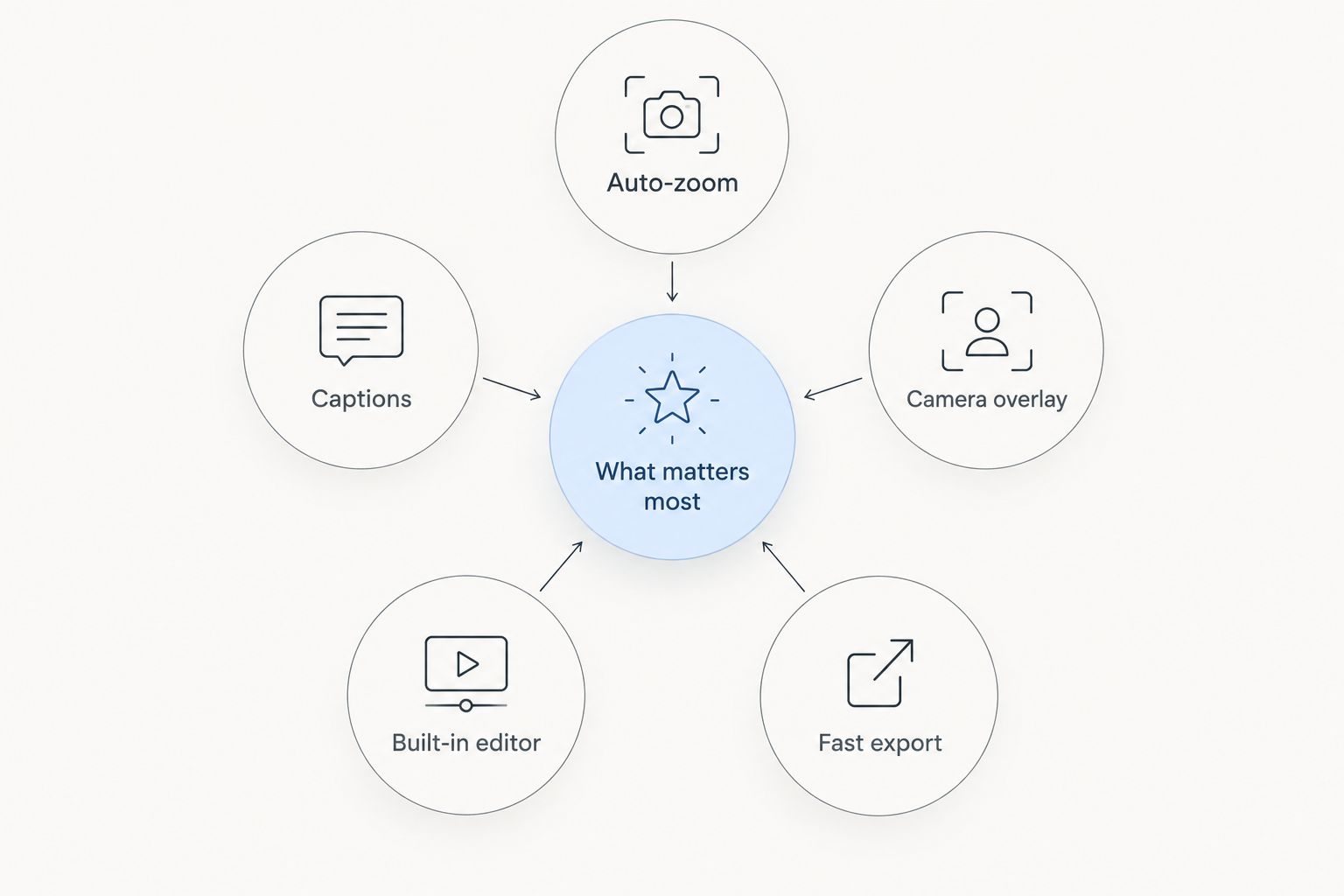
- Auto-zoom and pan that follows the cursor and clicks without manual keyframing
- Native macOS performance, not an Electron wrapper that eats battery and RAM
- Built-in captions and transcription, not a separate upload-and-wait step
- Camera overlay that frames the presenter cleanly over the screen capture
- Editing without a second app — trim, cut, and export in the same window
- Fast export and shareable links that don't force a render queue
Loom alternatives for Mac at a glance
| Tool | Best for | Standout feature | Key limitation |
|---|---|---|---|
| Screen Charm | Developers and SaaS founders recording demos | Auto-zoom with a built-in editor | Mac only, no team video library |
| Descript | Editing recordings like a text document | Transcript-based editing | Steeper learning curve for a quick clip |
| CleanShot X | Quick captures and GIFs | Lightweight menu bar workflow | Not built for long-form tutorials |
| ScreenFlow | Detailed multi-track editing | Timeline with motion graphics | Slower to learn than a simple recorder |
| Camtasia | Structured course videos | Quizzes and interactive elements | Heavier app, longer render times |
| Tella | Quick async video messages | Multi-scene split layouts | Limited advanced editing tools |
| Vidyard | Sales prospecting videos | Viewer analytics and CRM links | Overkill for a solo tutorial maker |
1. Screen Charm: best Loom alternative for Mac for product demos
Screen Charm is a Mac screen recorder built for developers, course creators, and SaaS founders who need a polished demo without opening a second editor. Auto-zoom follows clicks and cursor movement, captions generate inside the app, and a camera overlay frames the presenter without a green screen setup.
Screen Charm pros:
- Auto-zoom and camera overlay work without manual keyframing
- Editing, captions, and export happen in one window
- Built for the exact workflow of demo and tutorial recording, not general-purpose capture
Screen Charm cons:
- Mac only, so a Windows-based team member needs a separate tool
- Built around solo creator workflows, not a shared team video library
Best for: developers and SaaS founders making product demos and onboarding tutorials.
Verdict: Buy.
Try Screen Charm for your next demo
Auto-zoom, captions, and editing in one Mac app.
2. Descript: best Loom alternative for Mac for editing like a document
Descript records screen and camera, then turns the recording into a transcript you edit like text — delete a sentence and the video cuts with it. It leans into podcast-style and talking-head editing more than pure screen-tutorial capture.
Descript pros:
- Transcript-based editing removes filler words fast
- Handles multi-track audio and camera cleanup well
- Good for repurposing one recording into multiple clips
Descript cons:
- Text-based editing has a learning curve for a quick screen capture
- Overkill if all you need is a five-minute walkthrough
Best for: creators who record long-form content and need heavy audio cleanup.
Verdict: Buy if you edit spoken content often; Skip if you just need quick screen captures.
3. CleanShot X: best Loom alternative for Mac for quick captures
CleanShot X lives in the Mac menu bar and handles screenshots, GIFs, and short screen recordings with instant annotation tools. It's built for speed, not depth — you capture, mark up, and share in seconds.
CleanShot X pros:
- Fastest option on this list for a quick capture and share
- Annotation tools are built in, not a separate app
- Lightweight, doesn't compete for RAM with heavier editors
CleanShot X cons:
- No auto-zoom or camera overlay for a polished demo
- Not designed for tutorials longer than a couple minutes
Best for: quick bug reports, GIFs, and short async messages.
Verdict: Buy for quick captures; Wait if you need a full tutorial workflow.
4. ScreenFlow: best Loom alternative for Mac for detailed multi-track editing
ScreenFlow combines screen recording with a full timeline editor, including motion graphics and multi-track audio. It's closer to a video editing suite that happens to record your screen than a lightweight Loom replacement.
ScreenFlow pros:
- Timeline editing handles complex, multi-clip projects
- Motion graphics and callouts go beyond basic zoom effects
- Good for polished marketing and product videos, not just tutorials
ScreenFlow cons:
- Steeper learning curve than a simple record-and-share app
- Slower workflow for someone who just wants a quick tutorial out the door
Best for: editors building polished marketing videos from screen recordings.
Verdict: Hold unless you already do heavy video editing.
5. Camtasia: best Loom alternative for Mac for course creation
Camtasia is built for course creators who need quizzes, click-through interactivity, and a structured editing timeline. It runs on Mac and Windows, which matters if your course team isn't all on Apple hardware.
Camtasia pros:
- Interactive elements like quizzes fit e-learning platforms directly
- Cross-platform, so a mixed Mac/Windows team can share projects
- Strong library of templates and callouts for structured tutorials
Camtasia cons:
- Heavier app with longer render times on longer courses
- More setup than needed for a quick one-off demo
Best for: course creators building structured, interactive lessons.
Verdict: Buy for course-heavy workflows.
6. Tella: best Loom alternative for Mac for quick async video messages
Tella records screen and camera in split-scene layouts, aimed at remote teams sending quick async updates instead of scheduling a call. It's closer to Loom in spirit than most tools on this list — light, fast, browser-friendly.
Tella pros:
- Multi-scene layouts switch between screen and camera cleanly
- Fast to record and share for a team update
- Simple enough that non-technical teammates pick it up quickly
Tella cons:
- Editing tools are limited compared to a dedicated editor
- Not built for long, structured tutorials
Best for: remote teams replacing meetings with quick async video.
Verdict: Buy for lightweight team updates.
7. Vidyard: best Loom alternative for Mac for sales prospecting
Vidyard is built for sales teams sending personalized prospecting videos, with viewer analytics and CRM integrations layered on top of screen and camera recording. The recording tools are functional; the real value is what happens after you hit send.
Vidyard pros:
- Viewer analytics show who watched and how far
- CRM integrations fit directly into a sales workflow
- Personalized video templates speed up prospecting outreach
Vidyard cons:
- Analytics and CRM features add complexity a solo creator doesn't need
- Editing tools take a back seat to the sales tracking features
Best for: sales teams tracking video engagement in a CRM.
Verdict: Wait unless your team is already running sales video outreach.
How this list got ranked
Each tool got weighed against the same six criteria from the section above: auto-zoom, native Mac performance, built-in captions, camera overlay, editing without a second app, and export speed. Tools that require a round trip through another editor — CleanShot X for long tutorials, Vidyard for basic editing — lose points even when they excel at their specific job.
Which Loom alternative for Mac should you choose?
If you're a developer, course creator, or SaaS founder recording product demos and tutorials, Screen Charm is the default pick in 2026 — auto-zoom, captions, and editing without leaving the app. Course creators building interactive lessons should default to Camtasia instead, and anyone just capturing quick bugs or GIFs is better served by CleanShot X than by any full editing suite on this list.
FAQ
What's the best Loom alternative for Mac in 2026?
Screen Charm is the best overall pick for developers, course creators, and SaaS founders recording product demos, thanks to auto-zoom, captions, and a built-in editor in one Mac app.
Is Screen Charm better than Loom for Mac users?
Screen Charm runs natively on Mac and edits recordings without a separate app, while Loom's Mac desktop app carries more overhead and shallower built-in editing.
Does Descript work as a screen recorder on Mac?
Yes, Descript records screen and camera on Mac and then lets you edit the footage by editing a transcript, which suits long-form and podcast-style content more than quick tutorials.
What's the best free Loom alternative for Mac?
Check each tool's current site for free tiers, since pricing and plan details change; CleanShot X and Tella are generally the lightest tools to start with for basic recording.
Can I edit videos without leaving the recording app?
Screen Charm, Camtasia, and ScreenFlow all include built-in editors, so you trim, caption, and export without switching to a separate program.
Is CleanShot X good for long tutorials?
No, CleanShot X is built for quick captures and GIFs; for a full tutorial with auto-zoom and camera framing, Screen Charm or Camtasia fits better.
Which Loom alternative is best for sales teams?
Vidyard is built specifically for sales prospecting videos, with viewer analytics and CRM integrations that the other tools on this list don't offer.
Do these Loom alternatives support captions automatically?
Screen Charm and Descript both generate captions inside the app; CleanShot X and Tella lean on lighter, faster workflows without built-in transcription.
One last thing
Loom's Mac desktop app runs on Electron, which is part of why heavy recordings can lag on older machines — native Mac tools like Screen Charm skip that layer entirely. If your Mac is more than a couple years old and you're recording anything longer than a quick clip, that difference shows up the first time you hit export.